
TheMill
As a partner integrated with Unibo via TheMill platform, most of the work is already done between Unibo and TheMill to ensure seamless integration and operation for you.
This includes:
Real-time events to be integrated ✅
Overlay to be integrated ✅
Unless you have your own front-end team, in which case you need to implement the overlay yourselves. More info on that is available here: Overlay
Real-time stream of your games to be integrated ✅
Real-time stream of your players to be integrated ✅
Real-time stream of your bonuses to be integrated ✅
Real-time stream of your loot boxes to be integrated ✅
Automatic reward/prize payout ✅
In the Integration guide we describe what's needed to enable Unibo for the platform and website fully.
Loot boxes configuration
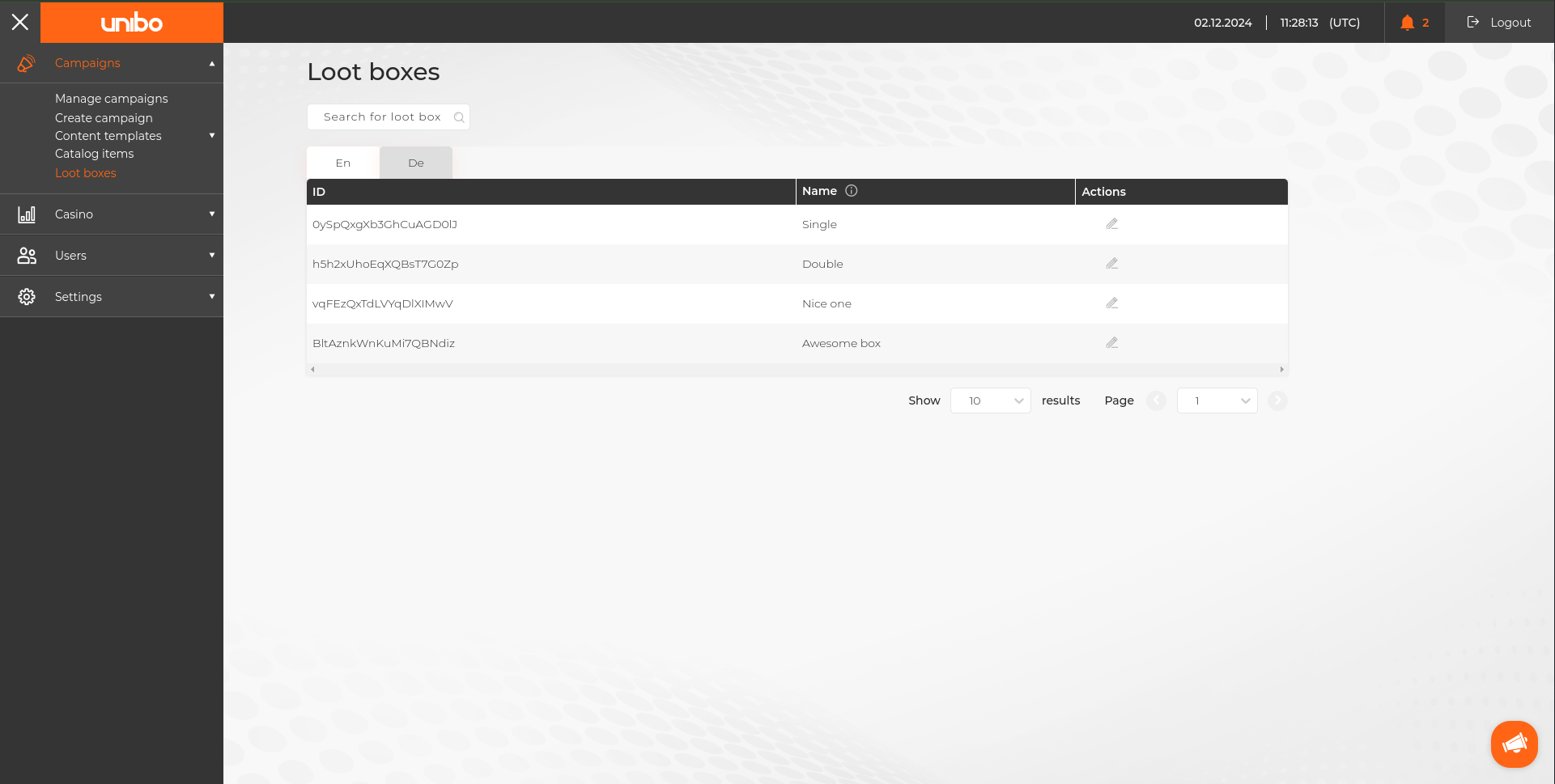
To properly display Loot box's name in the Overlay (based on the current language), you can set them in Loot boxes Settings Page (Menu → Campaigns → Loot boxes).
How do I create a player selection based on tags/segments?
When selecting players in Step 3 (Manage Players) of the campaign creation, select Customize and then create a filter with the tags you want to include or exclude.
For example, your selection could look like this:
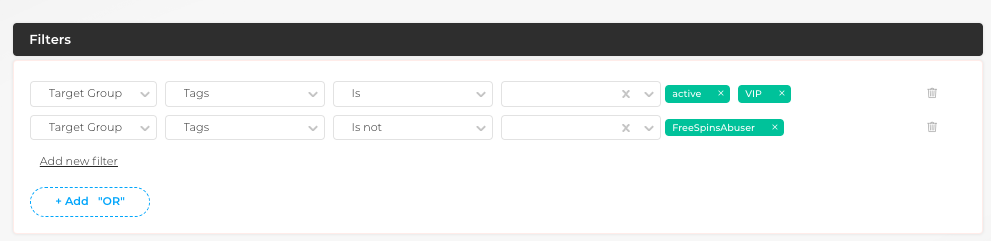
You have now included all players with the tags active or VIP, and excluded players with the tag FreeSpinsAbuser.